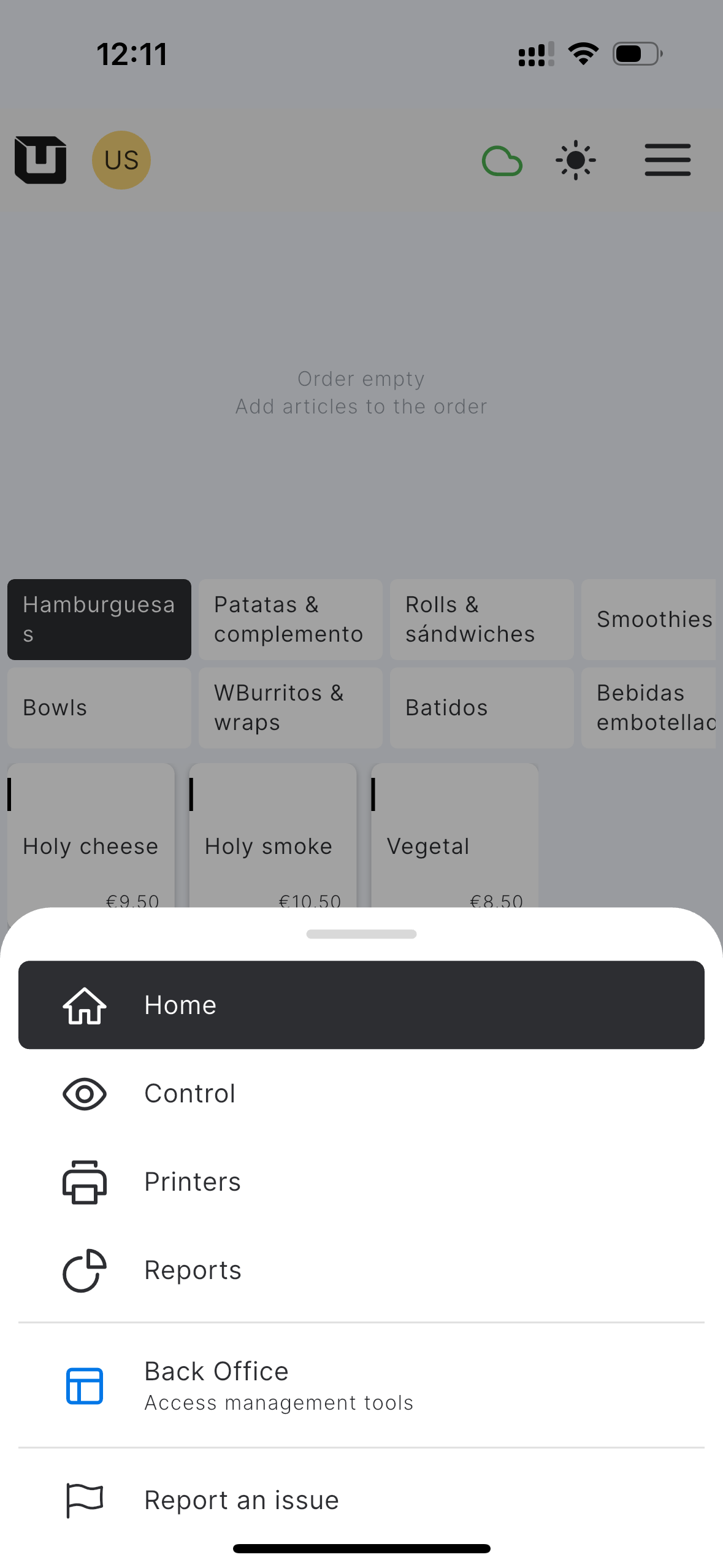
Von POS zum Back Office wechseln
Wer kann diese Funktion nutzen?
✅ Standortinhaber und POS-Nutzer
Während Sie mit dem POS arbeiten, können Sie leicht zum Back Office wechseln, um Ihre Standorteinstellungen zu verwalten, Berichte zu überprüfen und andere im Back Office verfügbare Aktionen durchzuführen, ohne ein Gerät wechseln zu müssen.
Um vom POS-Bildschirm auf das Back Office zuzugreifen, führen Sie bitte folgende Schritte aus:
- Tippen Sie auf das Symbol 'Menü'
- Klicken Sie im Menü auf 'Back Office' und bestätigen Sie, dass Sie die App verlassen und das Back Office im Browser öffnen möchten.
- Sie werden zum Back Office im Browser weitergeleitet, wo Sie sich mit Ihren Anmeldedaten anmelden müssen.